Communications
About LPS Communications
-
Livingston Public Schools' Office of Communications develops and coordinates the district’s efforts to provide open, effective communication between the district and community members, parents, and students. The department manages media inquiries, district publications, external communications, the district website, and district social media.
LPS is committed to building strong relationships with students, families, and the community, and as such, we strive to provide accurate and timely information to our stakeholders.
Communication tools for parents include the Blackboard Mass Notification System, the LPS website, Spotlight (our district newsletter), Facebook & Twitter (@LivSchools), Around the Block (the Superintendent of Schools' television program), and various promotional videos that highlight our students and staff. Stay connected with LPS by exploring our communications tools below!
If you are not an LPS parent and wish to receive district communications, please reach out to tmclaughlin@livingston.org.
-
Livingston Public Schools strives to respond to concerns and/or questions as quickly and effectively as possible. In a school system, as in any organization, the “chain of command” refers to communication levels of authority in the school district. The philosophy behind the chart in the document below is to refer community members to those people in the organization who can best solve any concerns or questions that may arise, and then direct them to the appropriate people if issues are not able to be effectively addressed at the first level. Thank you for your continued partnership.
CLICK ON THE DOCUMENT BELOW TO VIEW THE FULL DOCUMENT.

-
Media relations are managed by the district's Manager of Communications. All media inquires should be directed to Michelle Bent at 973-535-8000, ext. 8036 or mbent@livingston.org.
-
LPS takes school security very seriously and follows all of the safety protocols that are practiced regularly with the Livingston Police Department. These protocols include school lockdowns, which are designed to secure schools and protect students during emergency situations. Parents have a part to play in school lockdown safety as well! See below to learn how parents can contribute to school safety during lockdown situations.
WATCH:
READ:

WHAT IS BTAM?
The New Jersey Department of Education is requiring school districts to establish a threat assessment team in each of school building, pursuant to N.J.S.A. 18A:17-43.4.
Districts must establish behavioral threat assessment teams which provide school teachers, administrators, and other staff with assistance in identifying students with behaviors of concern, assessing those students’ risk for engaging in violence or other harmful activities, and delivering intervention strategies to manage the risk of harm for students who pose a potential safety risk. Districts will utilize a behavior-based approach to identify and assess individuals who demonstrate concerning communications or behavior and does not tolerate profiling of any kind based on race, ethnicity, age, physical or mental health conditions, learning abilities, socioeconomic status, gender, or religion as outlined in this guidance.
The following infographic provides a basic overview, as well as clickable links, to help familiarize the LPS community with this new state requirement.

-
We want everyone who visits the Your School website to feel welcome and find the experience rewarding.
What are we doing?
To help us make the Livingston Public Schools website a positive place for everyone, we've been using the Web Content Accessibility Guidelines (WCAG) 2.0. These guidelines explain how to make web content more accessible for people with disabilities, and user friendly for everyone.
The guidelines have three levels of accessibility (A, AA and AAA). We’ve chosen Level AA as the target for the Livingston Public Schools website.
How are we doing?
We've worked hard on the Livingston Public Schools website and believe we've achieved our goal of Level AA accessibility. We monitor the website regularly to maintain this, but if you do find any problems, please get in touch.
Let us know what you think
If you enjoyed using the Livingston Public School's website, or if you had trouble with any part of it, please get in touch. We'd like to hear from you in any of the following ways:
- email us at mbent@livingston.org
- call us on 973-535-8000 ext:8036
District Communication Tools
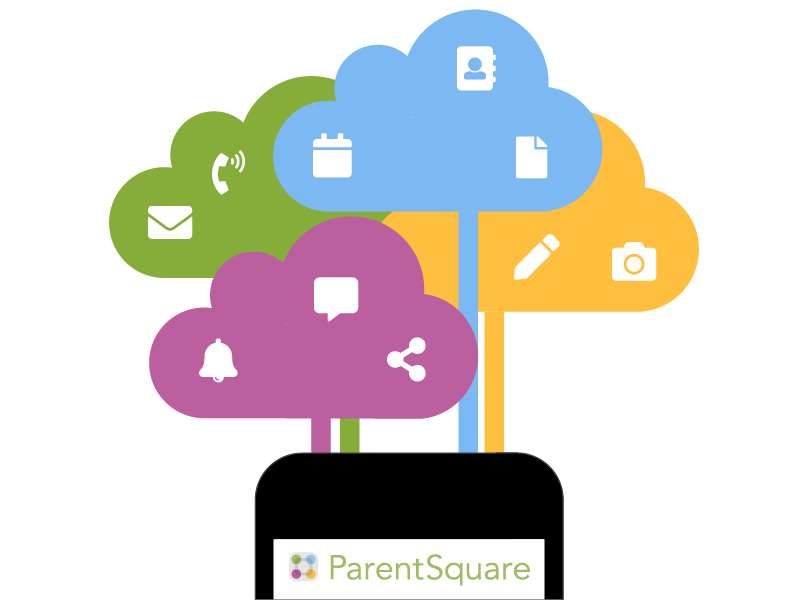
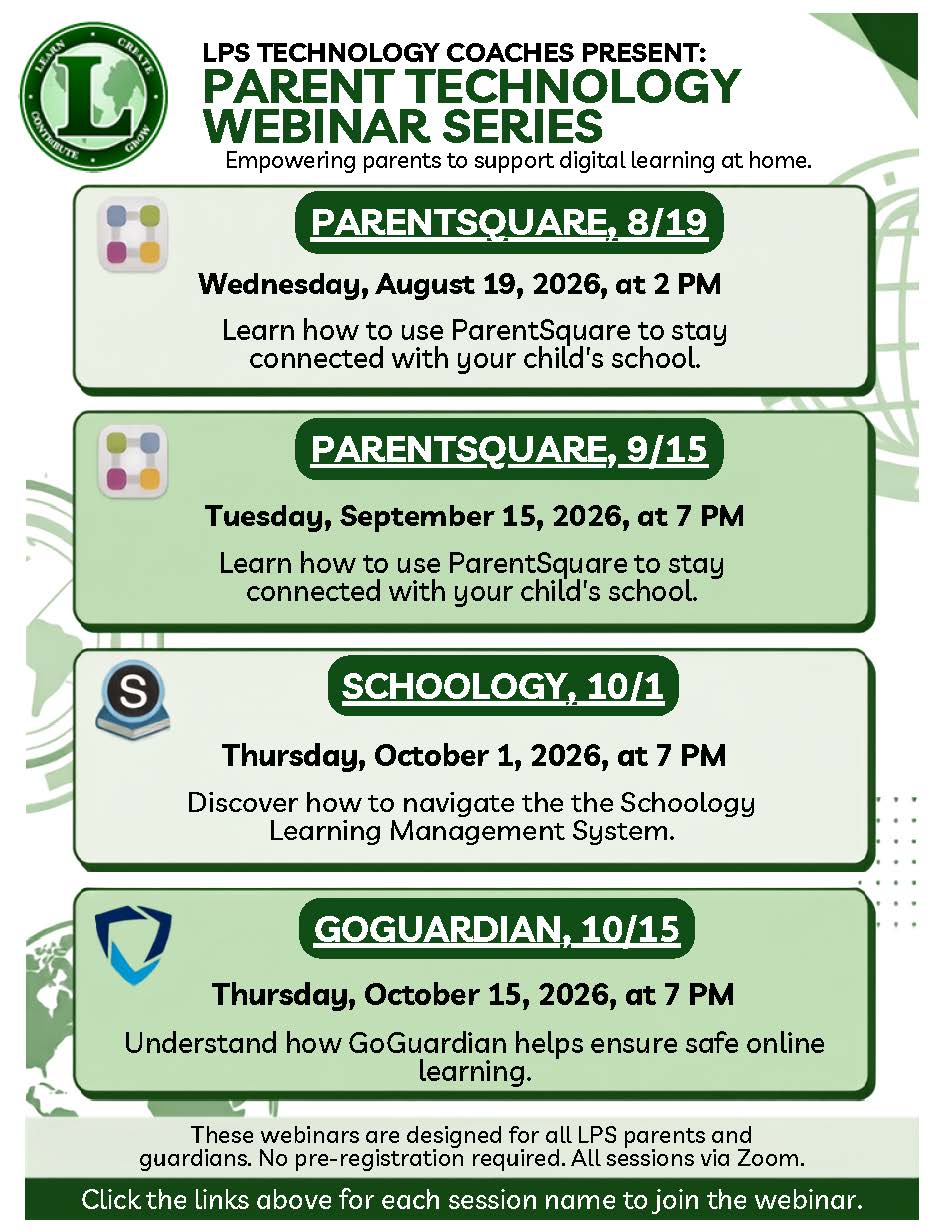
We are excited to announce that we have joined with ParentSquare, a unified home-to-school communications platform for our website and text/email messaging system. For even more convenience, the ParentSquare app (free for iOS and Android devices) is now available!
ParentSquare is designed to keep parents and guardians informed, engaged and connected to our schools and district, all in one convenience place. It provides a safe way for district administrators, school principals, teachers, staff, and parents to:
• Send and receive school and class information
• Share photos and news
• See calendar items
• and much more… all in one centralized place!
There are times when the district may need to use its automated alert system to contact parents/guardians. The ParentSquare Urgent Alert system is used most often for weather-related messages, however, when deemed necessary by the Superintendent of Schools, you will receive a phone call, text message, an email or all three, with important information.
It is vital that you log into your Genesis Parent Portal account and under "CONTACTS" be sure that you have verified the email addresses and phone numbers listed for each child attending the Livingston Public Schools. Please note that duplicate numbers and email addresses will be contacted only once.
If you are not receiving these communications, please email tmclaughlin@livingston.org.
Weather-Related School Closing & Other Emergency Notification Information
- Alerts will be posted on the district website as a pop-up alert
- Information will be posted in the LPS ParentSquare app
- Information will be posted to district’s Facebook account
- Information will be relayed to local newspaper, radio stations, and television stations
- A phone call and text message will be delivered to all phone numbers on file for all students
- An email will be delivered to all email addresses on file for all students
- Please be sure we have your current information on file. You can update your contact information by logging into the Genesis Parent Portal.
School Lockdowns
- Alerts WILL NOT be posted on the district website nor on the district social media sites.
- Information will be sent directly to parents of the affected school via email and text.
- Please be sure we have your current information on file. You can update your contact information by logging into the Genesis Parent Portal.
- Learn More: School Lockdown Safety Tips for Parents
See below for most recent editions! Click here to view the archives!
- LPS Spotlight Newsletter: September 8, 2026
- LPS Spotlight Newsletter: August 20, 2026
- LPS Spotlight Newsletter: July 14, 2026
- LPS Spotlight Newsletter: June 16, 2026
- LPS Spotlight Newsletter: June 9, 2026
- LPS Spotlight Newsletter: June 2, 2026
- LPS Spotlight Newsletter: May 26, 2026
- LPS Spotlight Newsletter: May 13, 2026
- LPS Spotlight Newsletter: April 28, 2026
- LPS Spotlight Newsletter: April 7, 2026 (Budget Edition)
- LPS Spotlight Newsletter: March 24, 2024
- LPS Spotlight Newsletter: March 17, 2026
- LPS Spotlight Newsletter: March 3, 2026
- LPS Spotlight Newsletter: February 10, 2026
- LPS Spotlight Newsletter: February 3, 2026
- LPS Spotlight Newsletter: January 20, 2026
- LPS Spotlight Newsletter: January 6, 2026
Follow Livingston Public Schools on LinkedIn
-
We are excited to announce that we have joined with ParentSquare, a unified home-to-school communications platform for our website and text/email messaging system. For even more convenience, the ParentSquare app (free for iOS and Android devices) is now available!
ParentSquare is designed to keep parents and guardians informed, engaged and connected to our schools and district, all in one convenience place. It provides a safe way for district administrators, school principals, teachers, staff, and parents to:
• Send and receive school and class information
• Share photos and news
• See calendar items
• and much more… all in one centralized place! -
There are times when the district may need to use its automated alert system to contact parents/guardians. The ParentSquare Urgent Alert system is used most often for weather-related messages, however, when deemed necessary by the Superintendent of Schools, you will receive a phone call, text message, an email or all three, with important information.
It is vital that you log into your Genesis Parent Portal account and under "CONTACTS" be sure that you have verified the email addresses and phone numbers listed for each child attending the Livingston Public Schools. Please note that duplicate numbers and email addresses will be contacted only once.
If you are not receiving these communications, please email tmclaughlin@livingston.org.
Weather-Related School Closing & Other Emergency Notification Information
- Alerts will be posted on the district website as a pop-up alert
- Information will be posted in the LPS ParentSquare app
- Information will be posted to district’s Facebook account
- Information will be relayed to local newspaper, radio stations, and television stations
- A phone call and text message will be delivered to all phone numbers on file for all students
- An email will be delivered to all email addresses on file for all students
- Please be sure we have your current information on file. You can update your contact information by logging into the Genesis Parent Portal.
School Lockdowns
- Alerts WILL NOT be posted on the district website nor on the district social media sites.
- Information will be sent directly to parents of the affected school via email and text.
- Please be sure we have your current information on file. You can update your contact information by logging into the Genesis Parent Portal.
- Learn More: School Lockdown Safety Tips for Parents
-
See below for most recent editions! Click here to view the archives!
- LPS Spotlight Newsletter: September 8, 2026
- LPS Spotlight Newsletter: August 20, 2026
- LPS Spotlight Newsletter: July 14, 2026
- LPS Spotlight Newsletter: June 16, 2026
- LPS Spotlight Newsletter: June 9, 2026
- LPS Spotlight Newsletter: June 2, 2026
- LPS Spotlight Newsletter: May 26, 2026
- LPS Spotlight Newsletter: May 13, 2026
- LPS Spotlight Newsletter: April 28, 2026
- LPS Spotlight Newsletter: April 7, 2026 (Budget Edition)
- LPS Spotlight Newsletter: March 24, 2024
- LPS Spotlight Newsletter: March 17, 2026
- LPS Spotlight Newsletter: March 3, 2026
- LPS Spotlight Newsletter: February 10, 2026
- LPS Spotlight Newsletter: February 3, 2026
- LPS Spotlight Newsletter: January 20, 2026
- LPS Spotlight Newsletter: January 6, 2026
-
-
Follow Livingston Public Schools on LinkedIn